
Overview
Most Roblox games share the same redeem habits even when the button lives in a different menu. Master the pattern once and you will waste less time on expired YouTube codes.
Use dated working lists (like Mystery Market Codes) instead of screenshots from months ago. Developers retire promo strings after events.
Related: All Roblox codes · Blox Fruits redeem · Da Hood redeem
Steps
- 1
Load fully into the experience
Codes almost never redeem from the Roblox website or the experience details page. Join a server and wait until your character and HUD finish loading.
- 2
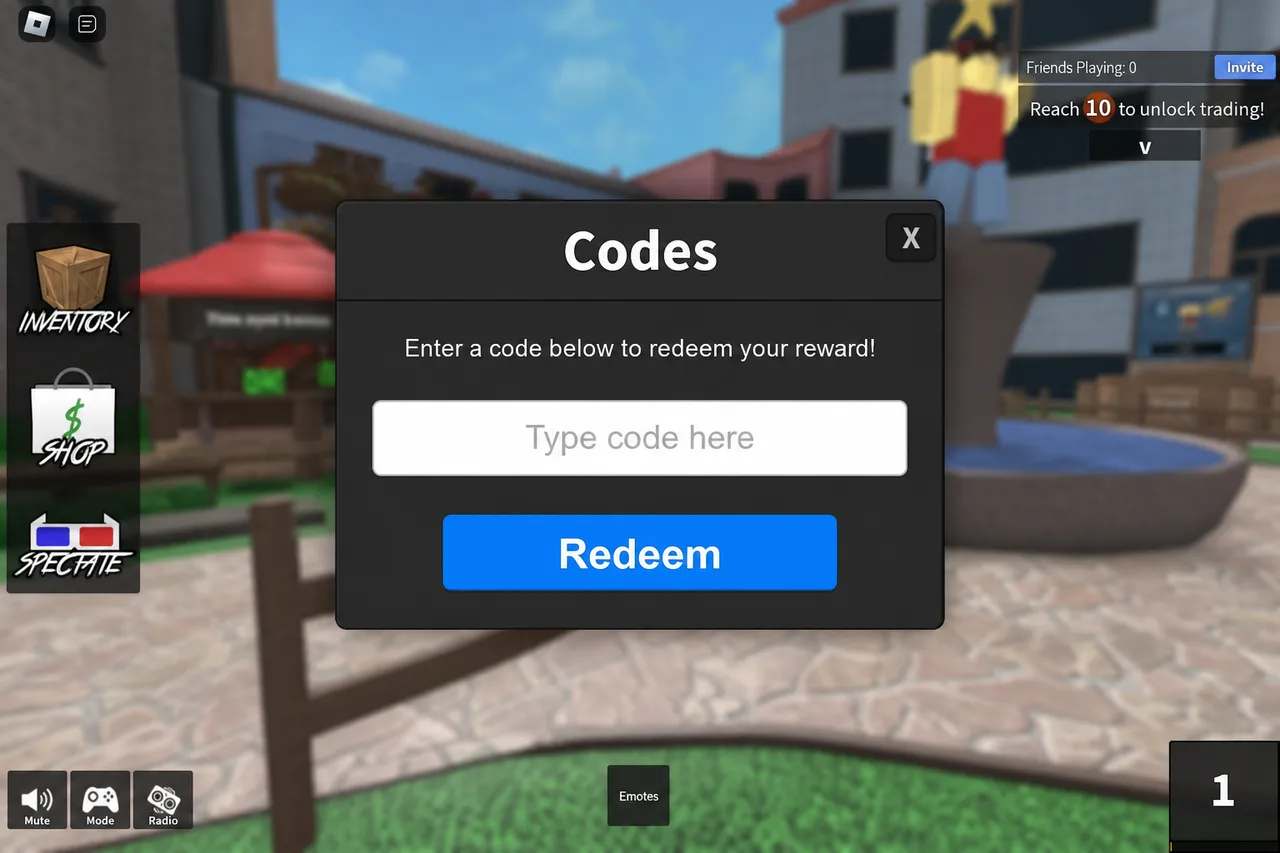
Find Codes / Redeem / Settings
Common homes: Settings (Blox Fruits-style), Shop, Main menu, or a dedicated Codes button on the HUD. After big updates, check Settings and Shop first before assuming codes are gone.
Whatever the game labels it, you want a single text field and a confirm button. - 3
Paste one clean code
Copy from a trusted list, paste once, and strip accidental spaces. Treat codes as case-sensitive. Redeem, wait for the toast, then clear the field before the next code.
- 4
Read the failure message
Invalid / expired → skip it. Already redeemed → that account already claimed it. Try again later → server lag; rejoin once. Never download a “code generator” app to “fix” a failed redeem.
Tips
- Keep the codes page open in a browser tab while you play so you only attempt active strings.
- Private servers usually redeem the same as public ones.
- If the Codes UI vanished after an update, the promo may be over — check the list’s last-updated date.
- Never trade items for a “private code” someone DMs you.
FAQ
- Why do old YouTube codes fail?
- Creators film once; developers expire codes later. Always cross-check a freshly updated working list.
- Do I need Roblox Premium to redeem codes?
- Almost never. Promo codes are account-bound inside the game, not Premium perks.
- Can one code be used on multiple accounts?
- Usually yes — each Roblox account redeems separately — unless the developer limited it to one claim per household or promo rules say otherwise.
Shop on Mystery Market
Full catalog →Pay with card — no Discord account required.