
Overview
Da Hood codes usually grant cash, items, or short bonuses. The redeem UI lives inside the game’s shop or main menu — not on the Roblox website.
Always verify a code is still marked working on Mystery Market before you spend time typing it. Developers retire codes after events and updates.
Related: Working Da Hood codes · Da Hood money tips · Redeem Blox Fruits codes
Steps
- 1
Join Da Hood and spawn in
Launch Da Hood from Roblox and wait until your character loads into the city. Codes cannot be redeemed from the experience page alone.
- 2
Open the shop or main menu
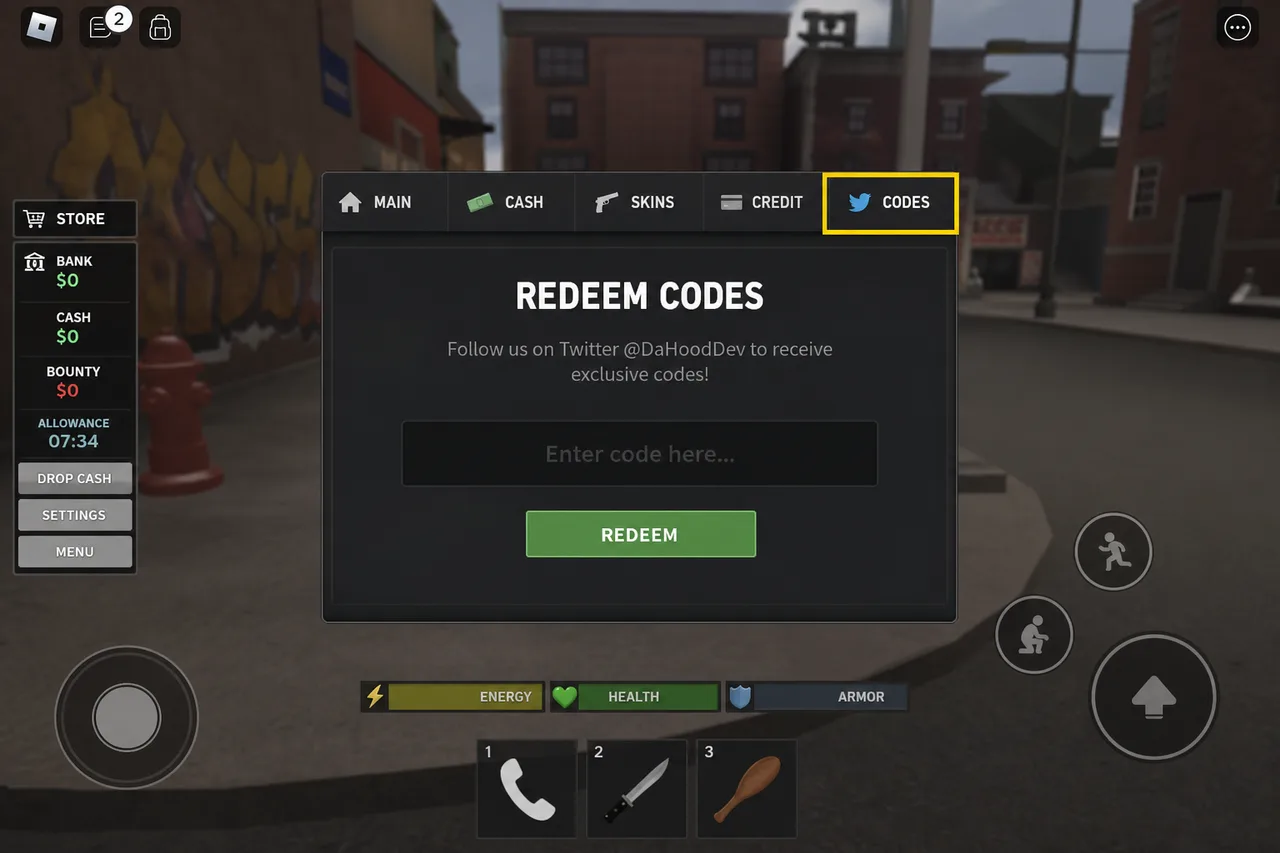
Use the on-screen menu button (often a shop bag, list icon, or equivalent HUD control). Look for a Codes, Redeem, or similar tab. UI labels shift slightly after updates, but the Codes entry stays in the shop/menu cluster.
Codes sits with the other shop/menu options — highlight may vary by update. - 3
Paste the code and redeem
Enter one code exactly as published. Tap Redeem / Claim and wait for confirmation. If nothing happens, check for an error toast, then try the next active code.
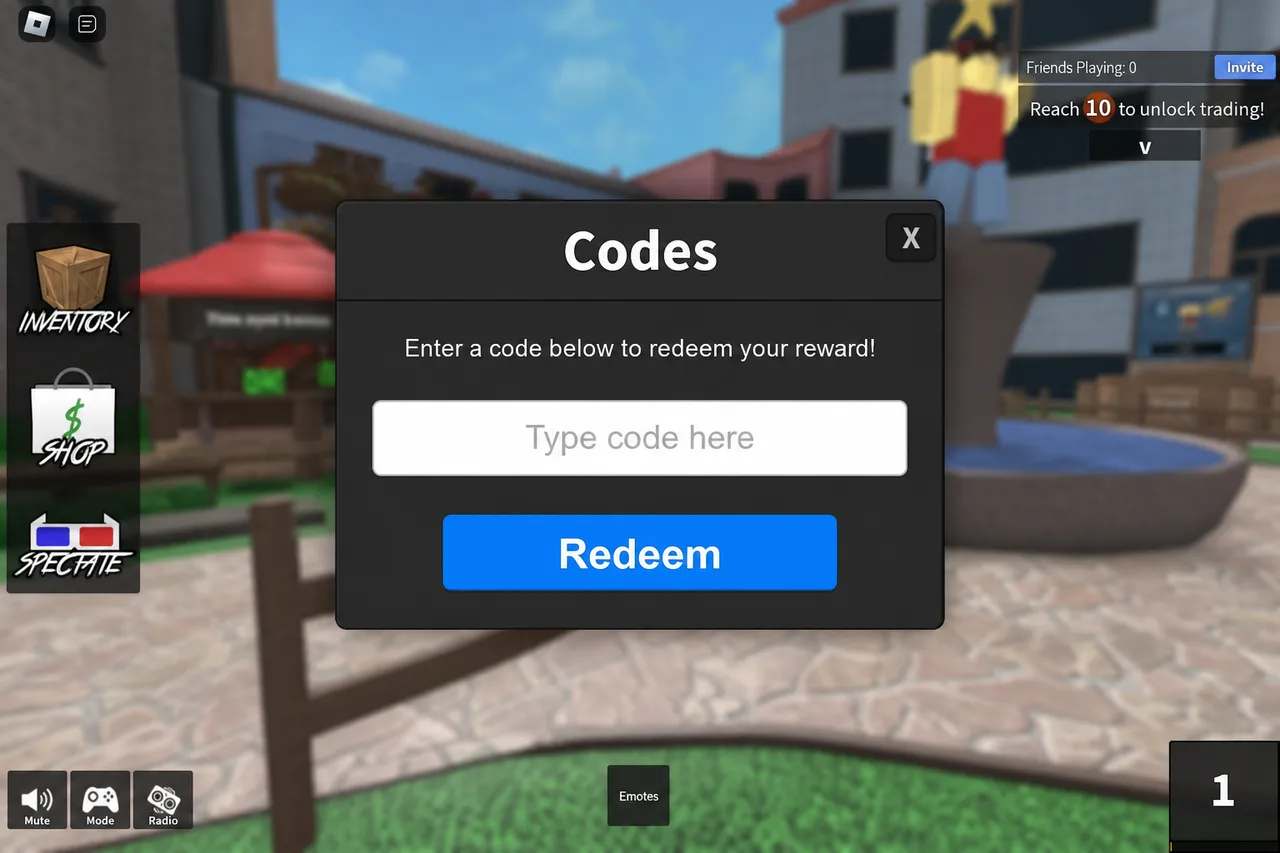
Paste carefully — extra spaces or wrong capitalization usually fail validation. - 4
Check your cash or inventory
Cash rewards update your balance immediately. Item rewards appear in inventory or equipped slots depending on the promo. Rejoin if the UI does not refresh after a successful redeem.
Tips
- Private servers work the same as public ones for code redemption.
- If Codes is greyed out, finish the tutorial or wait until the HUD fully loads.
- Pair this guide with /codes/da-hood so you only attempt active codes.
FAQ
- Where do I redeem Da Hood codes?
- Inside the game: open the shop or main menu and choose Codes / Redeem. There is no Roblox website redeem page for Da Hood.
- Do Da Hood codes work on console?
- Yes if the experience supports your platform and the Codes UI is available. Use an on-screen keyboard or paste where Roblox allows it.
- Why did my Da Hood code fail?
- Most failures are expired codes, typos, or codes already used on that account. Refresh the working list and try again.
Shop on Mystery Market
Full catalog →Pay with card — no Discord account required.