
Overview
Blade Ball codes unlock cosmetics, currency, or boosts when the developers publish them. Redemption happens entirely inside the experience.
The Codes button is part of the main HUD or menu — similar to other arcade-style Roblox games.
Related: Blade Ball codes · All codes · Guides hub
Steps
- 1
Join Blade Ball
Enter a server and wait for the lobby or match HUD to finish loading.
- 2
Open the Codes menu
Tap Codes (or the menu entry that leads to Redeem). You should see a text field and confirm button.
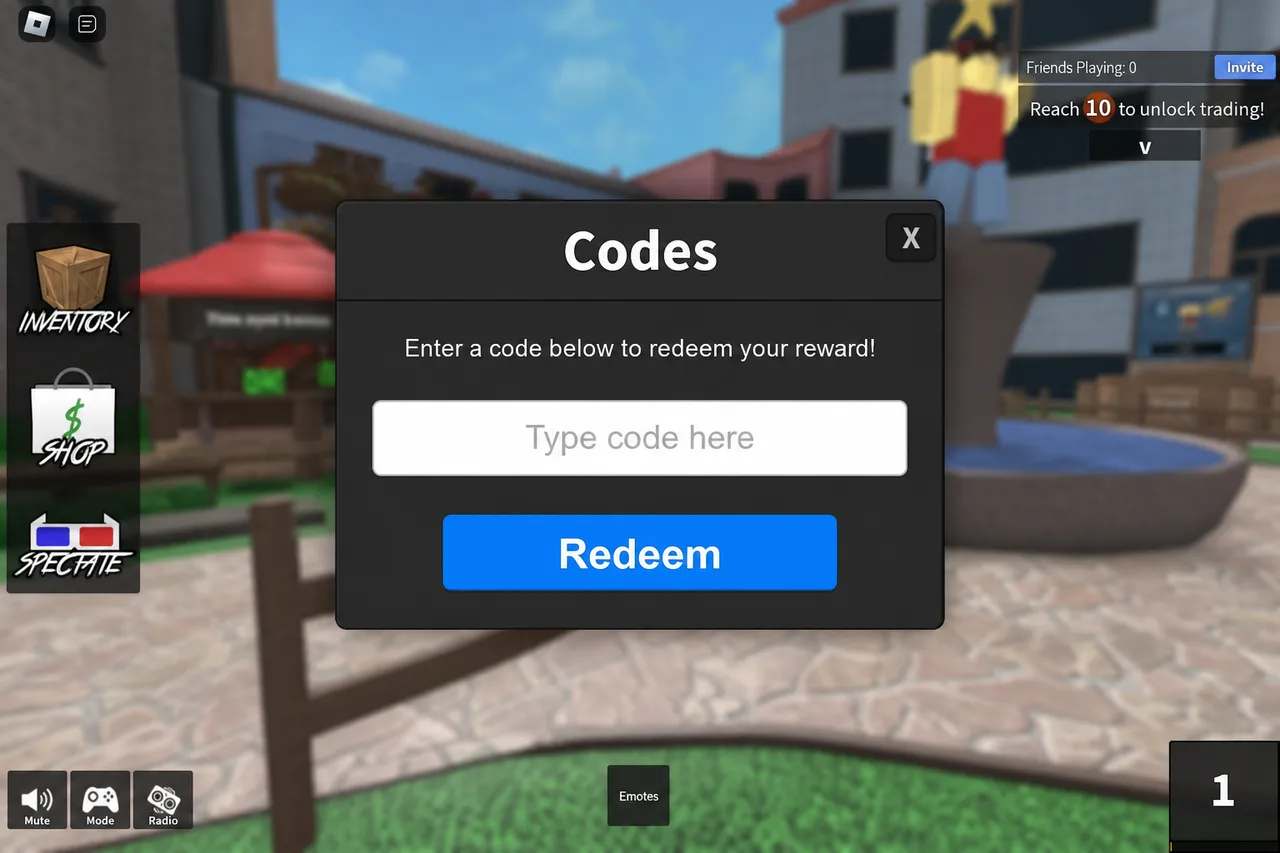
Blade Ball’s Codes UI follows the same paste-and-redeem pattern. - 3
Redeem and verify
Paste one working code, redeem, and check for a success message. Then confirm the reward in your inventory or currency display.
Tips
- Rejoin if the Codes button does not respond after a long session.
- Use /codes/blade-ball for copy-ready working codes.
FAQ
- Can I redeem Blade Ball codes from the Roblox website?
- No. Open the game and use the in-experience Codes menu.
- Do codes work during a match?
- Usually yes from the lobby or pause/menu UI. If the field is hidden mid-match, return to the lobby first.
Shop on Mystery Market
Full catalog →Pay with card — no Discord account required.