
Overview
Adopt Me codes are less frequent than in some fighting games, but when they exist the redeem flow is familiar: join the experience, open the menu, and use Codes / Redeem.
Pets and vehicles from the marketplace are separate from promo codes — never trade pets for a “code” someone DMs you.
Related: Adopt Me codes · Adopt Me trading tips · Browse Adopt Me pets
Steps
- 1
Join Adopt Me
Enter a neighborhood server so the full menu is available.
- 2
Open Codes from the menu
Open the main menu and look for Codes or Redeem. If the option is missing, Adopt Me may not have an active code promo — check the dated list before hunting through every button.
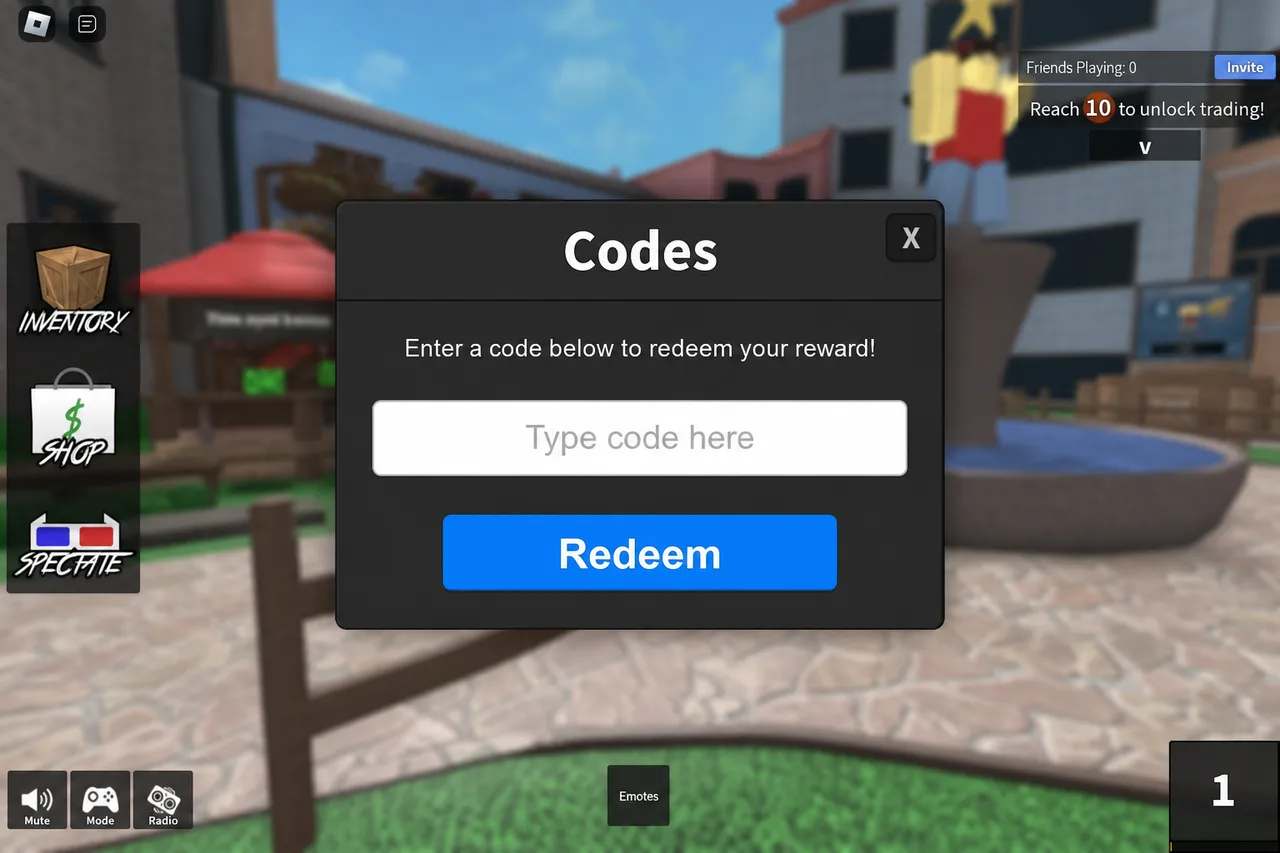
When Codes is available, paste and redeem like other Roblox games. - 3
Redeem and check inventory
After a successful redeem, check backpack / inventory for the reward. Bucks or items appear according to the promo.
Tips
- Be wary of fake “Adopt Me code generators” — they are scams.
- Working list: /codes/adopt-me. Shop pets safely on /browse.
FAQ
- Why can’t I find Codes in Adopt Me?
- The button appears when the developers enable redeemable promos. No button usually means no live codes — not a bug on your device.
- Do codes give neon pets?
- Promo codes rarely grant high-tier neons. Treat neon/mega pets as trade or shop items, not code rewards.
Shop on Mystery Market
Full catalog →Pay with card — no Discord account required.