
Overview
Blox Fruits codes give temporary XP boosts, money, and occasional resets. Codes expire, so always copy from a fresh list such as our Mystery Market Blox Fruits codes page before you redeem.
Redeeming only takes a minute once you are in a private or public server. You must be loaded into the game world — the title screen alone does not open the Redeem field.
Related: Working Blox Fruits codes · Blox Fruits beginner tips · Redeem Da Hood codes
Steps
- 1
Join Blox Fruits and load into a server
Open Blox Fruits on Roblox (PC, mobile, or console). Wait until your character appears on an island or ship. If you are stuck on the loading screen, wait for assets to finish — the Settings menu will not accept codes until you are fully in-world.
- 2
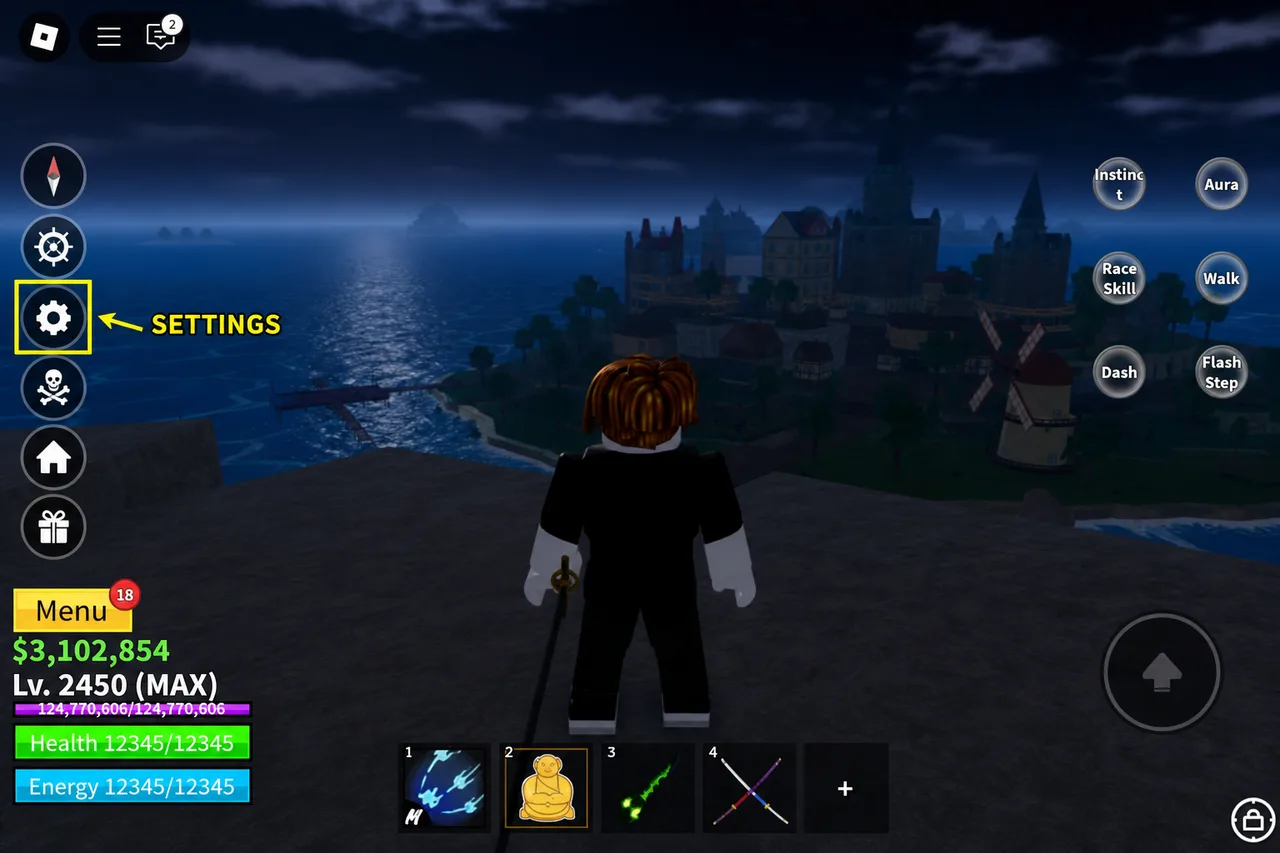
Open Settings from the left HUD
Look at the vertical button column on the left side of the screen. Tap or click the gear / cog icon (Settings). On mobile this is usually mid-column; on larger screens it sits with the other quick-access buttons.
Settings is the cog on the left — not the shop or inventory buttons. - 3
Find Redeem and paste your code
Inside Settings, open the Redeem section. You will see a text field (often labeled Enter Code) and a Redeem button. Paste a single code exactly as listed — codes are usually case-sensitive and do not need extra spaces.
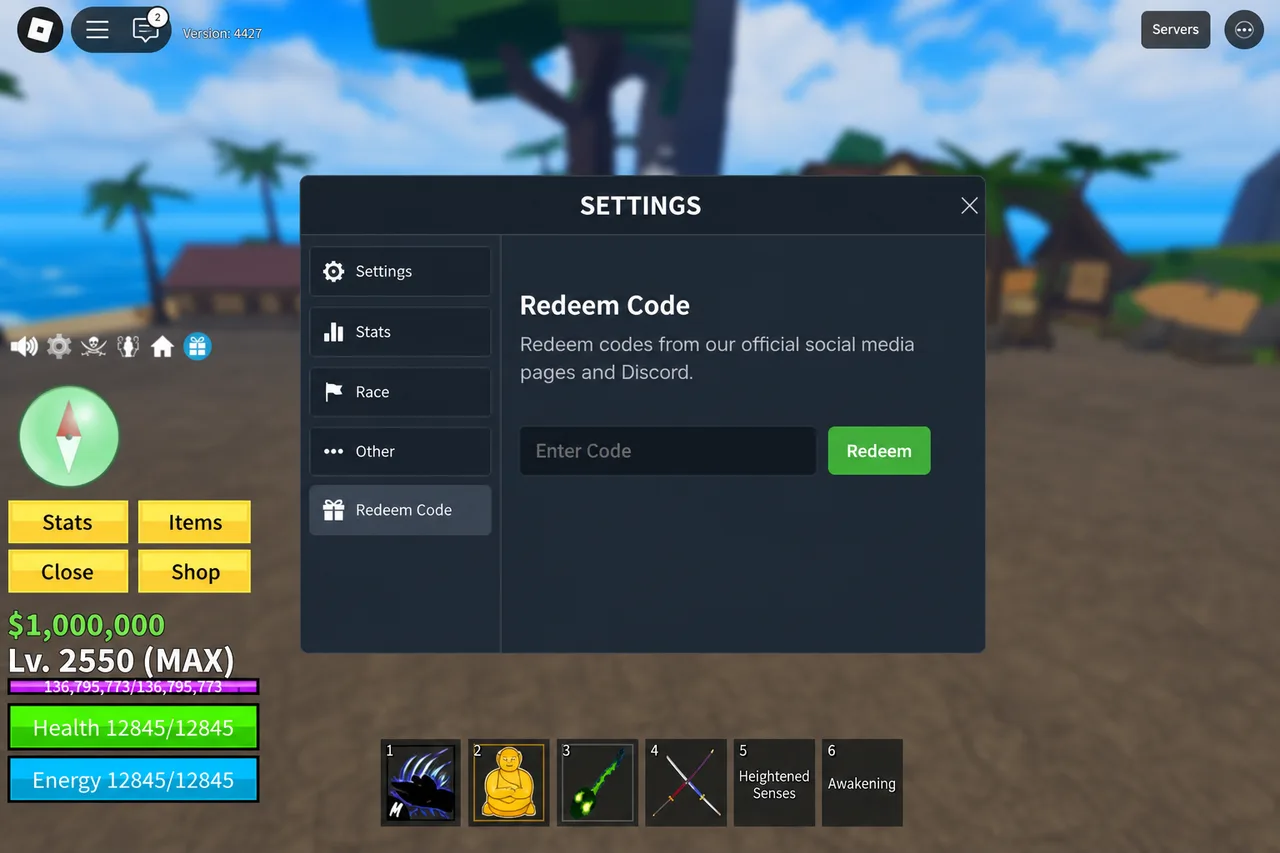
Paste one code, then press Redeem. Wait for the success or error message. - 4
Confirm the reward applied
A success toast or chat message confirms the reward. XP boosts apply for a limited time; money appears in your inventory. If the game says the code is invalid or already used, skip it and try the next working code from the list.
Tips
- Redeem one code at a time. Clearing the field between attempts avoids paste mistakes.
- New accounts can usually redeem the same active codes as veterans — there is no level gate for most promo codes.
- If Redeem is missing, update the game or rejoin a fresh server; seasonal UI tweaks sometimes move the button slightly but it stays under Settings.
- Keep our working list open: /codes/blox-fruits updates regularly so you are not typing expired strings.
FAQ
- Where is the Blox Fruits redeem box?
- Open Settings (cog on the left HUD), then use the Redeem / Enter Code field. It is not in the shop or inventory.
- Why does my Blox Fruits code say invalid?
- The code may be expired, mistyped, or already redeemed on that Roblox account. Copy again from a freshly updated list and avoid trailing spaces.
- Do Blox Fruits codes work on mobile?
- Yes. The same Settings → Redeem path works on phone and tablet. Use paste from your clipboard for long codes.
- Can I redeem codes offline?
- No. You need an online Roblox session with Blox Fruits fully loaded so the server can validate the code.
Shop on Mystery Market
Full catalog →Pay with card — no Discord account required.